
Your Multifunction Printer is More Than Just a Copier
 "Your Multifunction Printer is More Than Just a Copier")
The Big Shift: From Copier to MFP, from simple Paper Machines to Productivity Platforms
Let's not kid ourselves, this has been happening for years, but sometimes there's still an old-school mentality happening out there. And, you know, if we're talking about technology, there is no status quo - things are always changing.
Not long ago, a “copier” did one job. Walk into any office and you’ll still hear the same question: “What’s the print speed?” or “How many trays does it have?” Speeds and feeds do matter, but here’s the bigger truth: modern multifunction devices (MFDs) from brands like Sharp and Kyocera are no longer single?purpose machines. They’re workflow engines—secure, cloud?connected, analytics?enabled hubs that quietly move your business faster. If you’re comparing options purely on unit price, you’re likely missing the real cost (and the real upside).
Today’s multifunction printers (MFPs) scan directly to SharePoint, OneDrive, Google Drive, route documents to accounts payable workflows, lock down sensitive prints with secure release, and analyze utilization. They’re the bridge between paper and digital.
Think about a day in your office: a contract is signed, an invoice arrives, HR updates onboarding forms, a team prints a client proposal. Every one of those steps either flows smoothly or hits friction. An MFP from Sharp or Kyocera can simplify the process and allow your team to focus on more productive tasks—no lost documents, no mystery versions, no wandering around trying to find which printer grabbed your job.
Why “Cheapest” Often Costs More (A Friendly Reality Check)
I get the instinct: a lower upfront price feels like a win. But device cost is the smallest slice of the pie. The total cost of ownership (TCO) includes:
- Downtime (organizations rely on this technology more than ever before so when the MFP is down, your work grinds to a halt).
- IT time (the technical side of things - making the MFP work on the network).
- Consumables & maintenance (delays in getting toner, shorter yields on key components and extensive repair times and repeated occurrences).
- Energy efficiency (newer devices minimize the impact on your hydro bill).
- Security risk (malware attacking your network and poor document security protocols).
- Antiquated work practices (manual scanning, hand?keyed metadata, misplaced prints).
Sometimes, when you choose the cheapest copier, you’ve committed to a lower price up front and the most expensive experience over time. The right multifunction device is an investment in fewer headaches—and more throughput.

Real World Example #1: Accounts Payable That Doesn’t Trip Over Paper

Scenario: A mid?size company processes ~600 invoices per month. Historically, AP staff scan to a shared drive, rename files manually, and email approvals.
What a modern MFP does:
- Scan?to?workflow: The MFP can connect directly to AP automation folder and expedite the filing process.
- Auto?OCR + barcode recognition: Vendor name, invoice number, and amount can be captured automatically. Integrating AI into the process eliminates the need to template each vendor’s invoice.
- Access controls: Only AP staff see the folder; managers get approval prompts. Sometimes this is less about securing the data for privacy and more about ensuring that the workflows don’t hit any unanticipated snags with lost, or misfiled documents.
Conservative ROI math:
- Manual process: ~5 minutes per invoice (rename, place, email) ? 600 × 5 = 3,000 minutes/month (~50 hours).
- Automated route: ~1 minute per invoice ? 600 × 1 = 600 minutes (10 hours).
- Time saved: ~40 hours/month. At $35/hour loaded cost ? $1,400/month (almost $17,000/year).
- Add error reduction (lost invoices, misfiles) worth even more in avoided late fees and vendor churn. This could easily build up to a total savings of almost $20,000/year.
A “cheaper” copier that can’t integrate can cost you thousands in unproductive time each year. A multifunction device with document management and the right software supporting your workflows pays you back quietly and consistently, every single day.
Real World Example #2: Secure Print Release—Goodbye, “Who Printed My Payroll?”
Scenario: Protecting employees’ confidential information is always a concern. But in the wrong environment, HR prints payroll data and benefits summaries and pages sit on the tray while someone walks over. Risky.
Secure print release (which can be supported natively with the right brand of MFP, and even enhanced with 3rd party solutions):
- Users authenticate at the device (badge, PIN, or mobile app). This ensures that only the right person is going to be able to access the sensitive information
- Jobs release only when the user is present. This also provides enhancements with workflow as a user can send multiple documents to the MFP and can retrieve them all at once, instead of racing back and forth from their desk to the printer.
- Unreleased jobs auto?expire (no waste, no exposure). Reports shows that organizations can reduce their print costs by up to 30% as documents that are forgotten about, or have been edited multiple times don’t see the light of day, and then of course, don’t incur the print cost associated with that wasted document.
Conservative ROI math:
- Waste reduction: If your office prints ~10,000 pages/month and 30% is abandoned ? 3,000 pages. If the cost to print colour is $0.07/page through the service agreement, that works out to as much as $240/month, plus reduced shredding cost, whether handled in house or contracted out.
- Risk reduction: What if confidential information is exposed? What are the ramifications of that? You could lose a key employee, there could be legal fees, or morale or reputation can be severely compromised.
- Time saved: When you’re retrieving your prints in batches or eliminating the need to circle around the office to see who might have accidentally picked up your prints while they picked up yours, you’re saving time, and across all the employees on your team, that really adds up by the end of the month.
Choosing the right vendor, not only ensure that you’re dealing with a team that has the knowledge to implement these solutions, but they’ll be also able to provide the brand that integrates these solutions into their hardware. A cheaper solution might not be able to provide you a comprehensive solution that can deliver all these benefits.
Real World Example #3: Sales Proposals That Just... Work
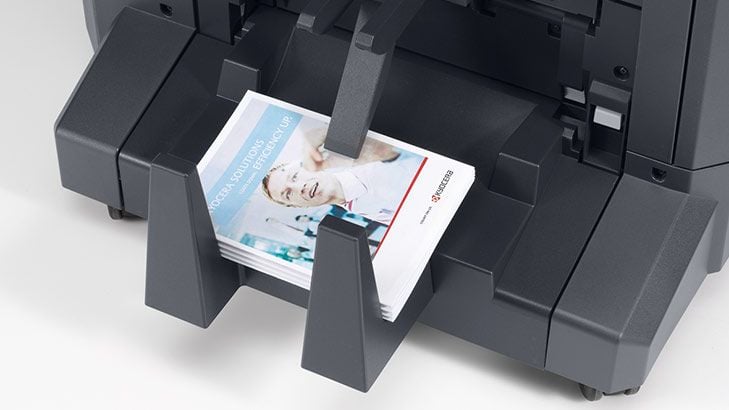
Scenario: Your sales teams is the face of the organization and when it comes time to earning new business, you need to offer a presentation that helps you stand apart from the competition. Proposals can include tabs, covers, and stapling and the key is being able to provide consistent results, regardless of the company rep or hardware.
Modern MFPs with advanced finishing (booklets, saddle stitch, tabs, hole?punch) and consistent drivers deliver peace of mind.
- Saved setup time: Pre?configured print presets for “Proposal—Booklet” or “Client Packet—Tabs” can simplify the process for the sales reps and increase adoption of the process.
- Consistency in projecting brand image: Being able to offer the same output across multiple devices with standardized drivers and finishing kits lets you know that the decisions that are made in the design of these presentations, can be easily and consistently delivered to your clients and prospects.
- Professional output: Crisp, aligned, ready?to?deliver documents without outsourcing.
Conservative ROI math:
- If each packet setup takes 5 extra minutes manually × 80 packets/month = 400 minutes (~6.7 hours).
- At $45/hour for sales ops time ? $300/month (~$3,600/year) saved.
- Factor in avoided outsourcing for booklet jobs ? add $1,000-$3,000/year easily.
Integration Is the Real Superpower (Cloud, Mobile, Line of Business)
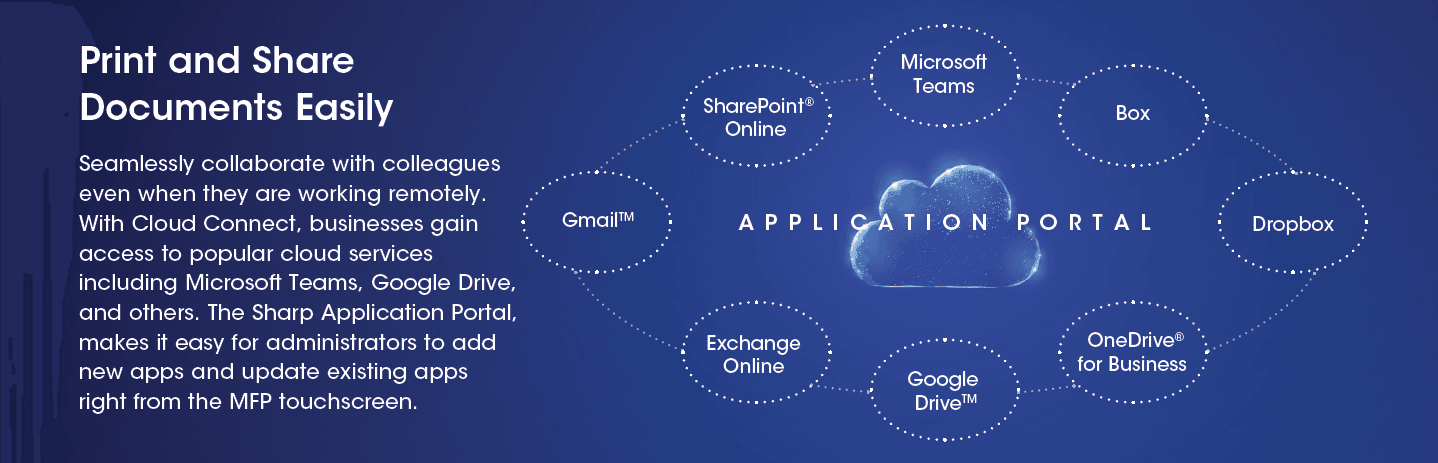
If your team is hybrid (and who isn’t?), cloud integration turns your MFP into a reliable on?ramp:
- Scan to and print from, OneDrive / Google Drive / SharePoint with metadata prompts (client, project, department).
- Mobile print from phones or tablets without a ton of complicated steps.
- Line?of?business connectors (e.g., scan to CRM drop folder or ERP document library).
When you add print management software, you gain:
- Usage analytics (which departments print the most, color vs. mono).
- Rules-based printing (default to duplex, restrict color for non?client jobs).
- Fleet visibility (firmware versions, maintenance status).
A cheaper copier might not be able to deliver on all of these and if the vendor isn’t well versed with these solutions, you could be costing your organization money in the long run by cutting corners up front and looking for the the lowest price.
Security by Design: What You Want Under the Hood
A modern MFD security stack should include:
- Disk encryption + data overwrite (securely erase spooled jobs).
- Authenticated access (PIN/badge/SAML/SSO).
- Network hardening (TLS, IP filtering, secure protocols only).
- Firmware updates (regular patching without drama).
- Audit trail (who printed/scanned what, where, when).
Security is rarely tested in a demo—but it’s tested in real life. Don’t buy devices that treat security as optional. Your compliance posture depends on it.
The Human Side: Adoption, Ease, and “It Just Works”
Most employees don’t want to have to study a 500-page manual to understand how to get the MFP to do the work that they need it to. They want something that is simple to use, reliable & predictable:
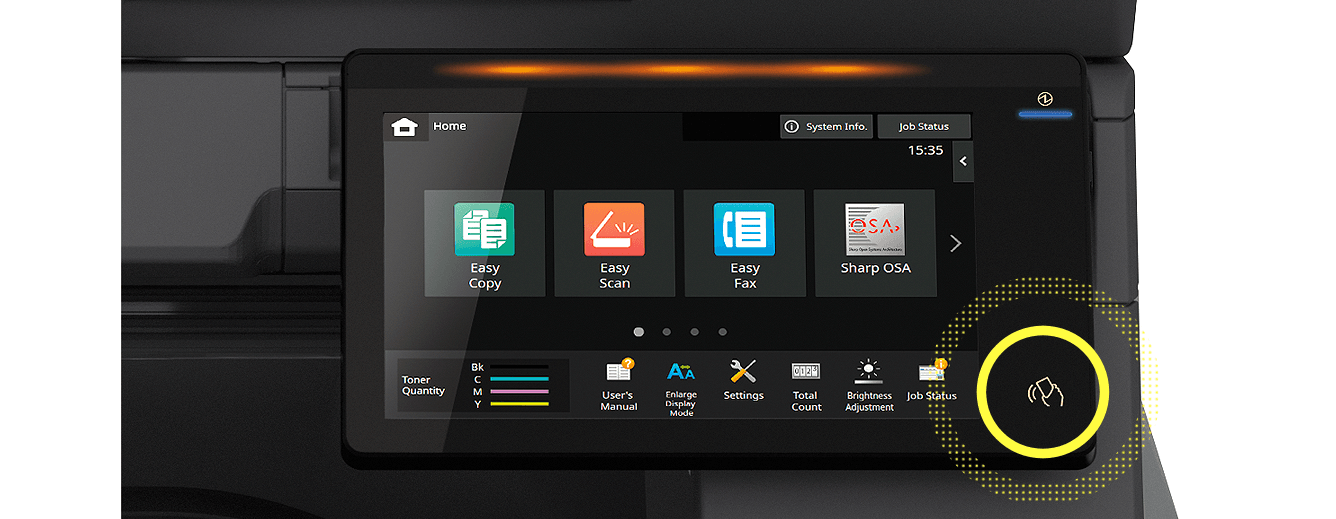
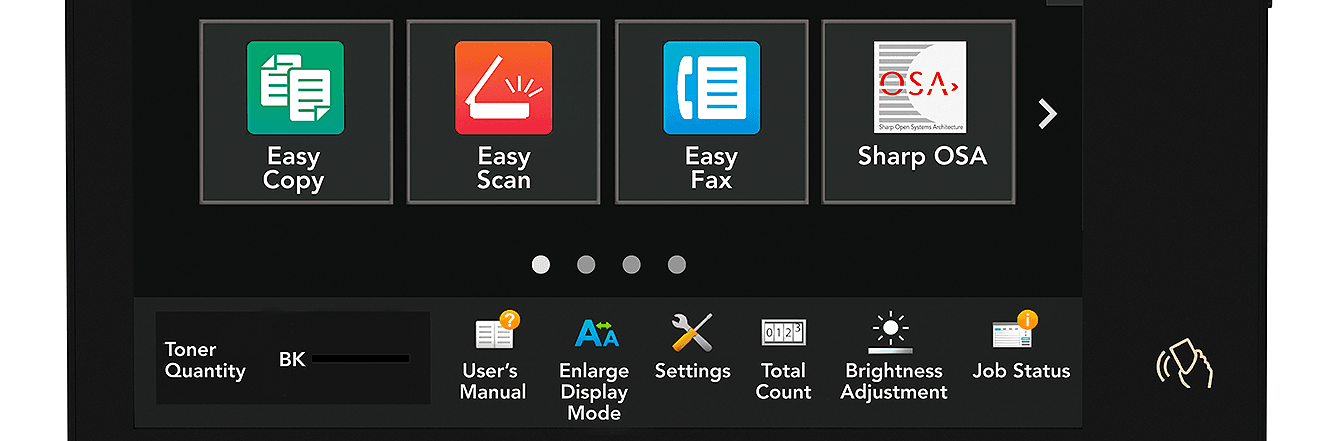
- UX is Key - A user interface with clearly laid options like “Copy”, “Scan to email” or “Scan to Teams / Scan to SharePoint” buttons. Some devices allow you to customize the look and feel of the control panel allowing you to bring that user experience to a new level!
- Consistent drivers - All you’re looking for most times is to quickly print the documents that you need, so you don’t want to click multiple options to get a simple print.
- Fast warm?up, low noise, and energy efficiency. It’s a known fact that the “watched copier, warms up the slowest”
When you upgrade from a “cheap” device to a well?designed multifunction printer, the vibe changes: fewer interruptions, fewer “can someone fix the printer?” messages, etc. The value is in the quiet.
Environmental Benefits: Sustainability That Also Saves Money
Modern Sharp copiers and Kyocera printers are built with eco?modes, efficient sleep states, and default duplex printing. Toner yields improve, maintenance intervals stretch, and energy use drops.
Conservative ROI math:
- If your device saves ~20% in energy vs. an older model, and printers/finishers consume ~$25/month in electricity, you save $5/month per device. With 10 devices ? $600/year.
- Pair with duplex by default: Cut paper consumption by ~30-40% for internal prints. If you buy $3,000 of paper/year, 30% saved ? $900/year.
Sustainability aligns with savings. You don’t have to pick one.

How to Compare: A Practical Checklist (Beyond Price)
When you evaluate multifunction devices, ask vendors to show the workflow, not just the brochure:
- Cloud connectors: Can you scan to SharePoint/OneDrive/Google Drive with metadata prompts at the panel? Can you access and print from them too?
- Secure print: Badge/PIN release; job expiration; user access logs.
- Analytics: Can you see usage by department? Color vs. mono? Duplex rates?
- Finishing: Booklet, staple, tab, hole?punch presets that actually work reliably.
- Fleet consistency: Same drivers across devices; standardized panels and presets.
- Support model: Proactive parts, response SLAs, remote monitoring.
- Energy & sustainability: Duplex defaults, sleep states, eco certifications.
- Integration depth: Connect to your document management system (DMS) or ERP/CRM drop folders.
- Security hardening: Encryption, overwrite, firmware cadence, audit reporting.
- Pilot plan: Work with your vendor and identify the best place to start. One or two devices in real workflows for 30-60 days with measurable KPIs, provides proof of concept and then the road map to standardize on devices and configurations moving forward.
A Quick ROI Framework You Can Use (Plug in Your Own Numbers)
Here’s a simple way to evaluate a “cheaper copier” vs. a “workflow?enabled MFP” over 5 years:
Inputs (per device):
- Purchase/lease delta: +$2,500 for the better MFP.
- Downtime reduction: 4 fewer hours/month affecting 10 people @ $50/hour ? $2,000/month saved ? $24,000/year (even cutting that by 80% still yields $4,800/year).
- Workflow time saved: 10 hours/month at $35/hour ? $350/month ? $4,200/year.
- Paper/energy savings: $300/year.
- IT ticket reduction: $300/year.
Conservative annual value: $4,800 (downtime, heavily discounted) + $4,200 (workflow) + $300 (paper/energy) + $300 (IT) = $9,600/year.
Five?year value: $48,000 vs. $2,500 extra upfront.
Even if your numbers are half that, it’s still $24,000 over 5 years. The “cheapest” device is not the best solution once you factor reality.

Why Sharp and Kyocera Often Stand Out (Without Getting “Salesy”)
Both Sharp and Kyocera have a wide range of multifunction printers with reliable engines, smart panels, and strong integration ecosystems. While you should still compare specific models to your needs, what draws our clients towards these solutions are:
- Intuitive user interfaces (clear scan workflows, easy job release).
- Strong connectors to major cloud and DMS platforms.
- Solid finishing options for professional output.
- Service networks that keep fleets healthy.
- Security features baked into the platform—not bolted on later.
In other words, they’re built for real work, not just lab specs.
The Bottom Line: Invest in Capability, Not Just a Box
If you're focused on the lowest up front cost, you’re really just buying a gadget. Alternatively, you can make an investment to improve the productivity of your team, focusing on the way documents move, get protected, get stored, and get measured. A modern multifunction device pays for itself through:
- Better workflows (AP, HR, legal, sales).
- Lower risk (secure print, audit trails, encrypted storage).
- Higher uptime (proactive service, consistent drivers).
- Actionable analytics (visibility into usage and waste).
- Lower environmental impact (duplex, energy efficiency).
If you compare only speeds and feeds with the acquisition cost, you’re missing out on integrating all the benefits that can show up in productivity and compliance. And if you chase the lowest price, you’ll probably inherit the highest hassle.
It really goes beyond even that. You can always get something that you can do the basics, but each unit has so much to offer. Unlocking the value of those features come from choosing a better partner. Make sure that the team that you're working with stays up to date on changes in their world, and yours and brings an understanding on how they can impact your day-to-day operations.
What to do next?
If you have any questions about this information, feel free to contact the author or take a minute to complete this form. There is NO CHARGE for the initial consultation and it's always good to get a second opinion. That's what we're here for.
Talk soon,
Paul Ackermann
 "Paul Ackermann") Author:Paul Ackermann
Author:Paul Ackermann)

